
1

Description
What it does:
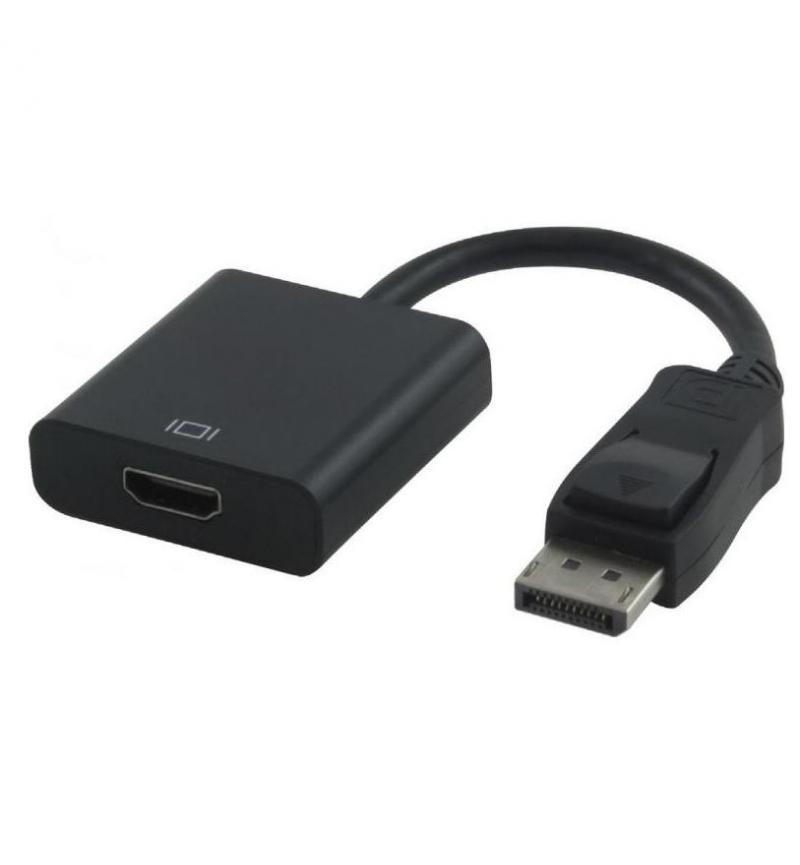
- Connects Devices: Plugs your DisplayPort-enabled computer (source) to an HDMI monitor, TV, or projector (display).
- Transmits Audio & Video: Carries both audio and video signals from the DP source to the HDMI display.
- Supports Resolutions: Handles various resolutions, commonly up to 1080p (Full HD) or even 4K (Ultra HD) depending on the adapter and source.
- Passive/Active: Most common ones are passive (just convert the signal), but active ones exist for specific needs, with the DP source needing to support the conversion.
How to use it:
- Plug the DisplayPort (Male) end into your computer’s DisplayPort output.
- Connect a standard HDMI cable (sold separately) to the HDMI (Female) port on the adapter.
- Plug the other end of the HDMI cable into your TV, monitor, or projector.
- Select the correct HDMI input on your display device.
- Configure display settings (extend/duplicate) in your operating system if needed.
Key features:
- No Software: Generally plug-and-play.
- Gold-plated connectors, copper core: For stable signal.
- Compact: Good for portability and presentations.



Reviews
There are no reviews yet.